Most offices replace the toner cartridge first, assume the problem is solved, and end up ordering a second cartridge within a few weeks because the real issue was a worn imaging drum. Knowing how do I know if my printer needs a new drum or toner saves a trip to the supply closet and stops the same streaked, faded, or spotted pages from coming back. The two parts fail differently, and once you can tell the symptoms apart, the fix usually takes one order instead of two.
Toner vs. Drum: What Each Part Actually Does
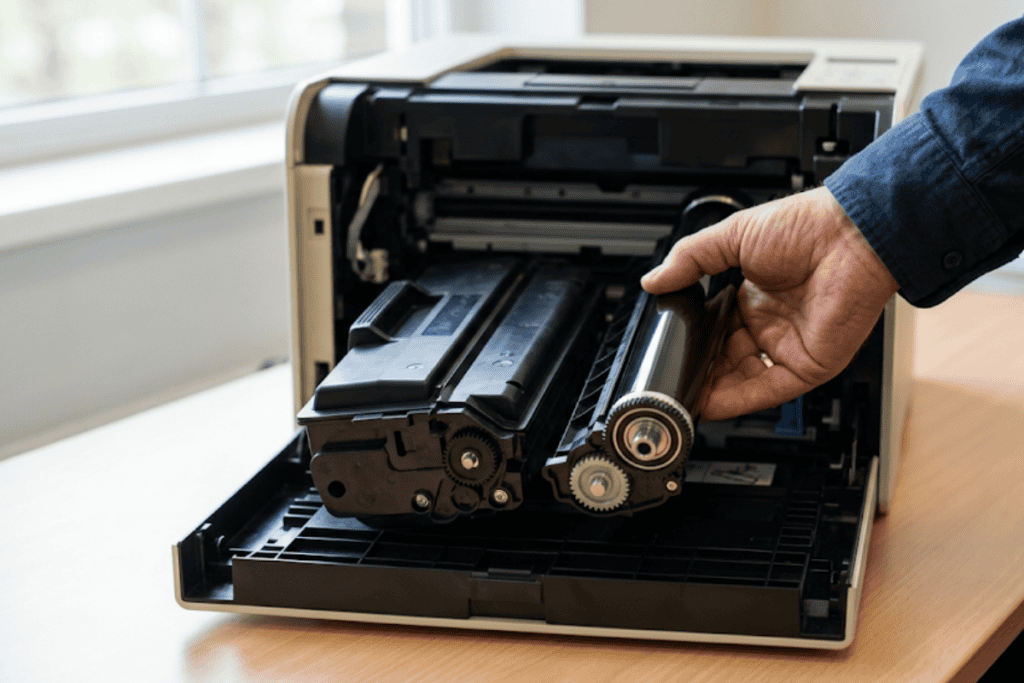
A toner cartridge holds the fine powder that gets fused onto the page to form text and images. A drum unit is the cylinder inside the printer that picks up an electrostatic charge, attracts that powder in the shape of the page, and transfers it onto the paper before the fuser locks it in place. Toner runs out based on how much you print, a cartridge rated for 3,000 pages empties faster if every page is a dense graphic than if it is mostly text. The drum wears down on a completely different schedule, tied to the number of rotations it makes rather than how much toner it uses, which is why a drum can fail with a brand-new cartridge still installed. Because worn toner and printer dust both put fine particles into the air around a busy print station, a lot of offices still follow the same photocopier ventilation standards OSHA documented for enclosed print rooms.
How Do I Know If My Printer Needs a New Drum or Toner in Daily Use
The clearest test is what the print job looks like right after you swap the toner. If pages come out clean and sharp again, toner was the problem. If the same lines, spots, or faded bands are still there after a fresh cartridge is installed, the drum is the part asking for attention. Toner problems tend to look like uneven density across the page, a faint gray cast, or text that gets lighter the longer a job runs. Drum problems repeat in a fixed pattern, the same mark, streak, or blank strip shows up at the same spot on every page regardless of what you’re printing, because it is tied to one point on the rotating cylinder rather than how much powder is left.
Signs Your Toner Cartridge Is Running Low or Failing
- Print gradually fades from one side of the page to the other, or from the top of a job to the bottom
- Text and graphics look gray instead of solid black
- The printer’s toner-low indicator is on, but pages are still usable for another short run
- Replacing the cartridge restores full, even coverage right away
Signs Your Drum Unit Needs Replacing
- A repeating mark, spot, or line shows up at the same distance apart on every page, matching the drum’s circumference
- Vertical streaks or ghosting persist after a fresh toner cartridge is installed
- Print looks patchy or has an uneven, almost textured background even with new toner
- The printer’s control panel shows a drum or imaging unit alert instead of a toner alert
- Pages come out with a hazy or foggy background regardless of the document being printed
Toner vs. Drum: Quick Comparison
| Symptom | Likely Cause | What Fixes It |
|---|---|---|
| Print gradually fades across a job | Toner running low | Replace the toner cartridge |
| Same spot or streak repeats on every page | Worn drum unit | Replace the drum unit |
| Text looks gray instead of solid black | Toner running low | Replace the toner cartridge |
| Hazy or foggy background on every page | Worn drum unit | Replace the drum unit |
| Problem persists after a fresh cartridge | Worn drum unit | Replace the drum unit |
How Long Each Part Should Last in a Typical Office
Toner cartridges are usually rated by page yield, standard cartridges cover roughly 1,500 to 3,000 pages and high-yield versions run higher, so a cartridge in a busy office might last a few weeks while the same cartridge in a light-use printer lasts months. Drum units are built to outlast several toner cartridges, most are rated for 12,000 to 30,000 pages depending on the printer model, and a well-maintained drum in a moderate-use office can run a year or more before it needs replacing. Sticking to certified models when it’s time to replace the printer itself is one way to keep both parts closer to their rated life, since energy-efficient designs also tend to run cooler, which is easier on the drum’s coating.
Cartridge quality matters too. Remanufactured toner that meets recognized procurement standards performs close to OEM cartridges at a lower cost, while off-brand cartridges with no quality testing behind them are a common cause of premature drum wear.
What Happens If You Ignore the Signs
Running a printer on a failing drum does not just produce bad-looking pages. The printer keeps laying down toner trying to compensate for the worn spot, which burns through cartridges faster and can leave excess loose powder inside the machine that eventually reaches the fuser. A rundown of common warning signs confirms that ignoring a failing drum tends to make the problem worse over time rather than better, since the printer has no way to compensate for a physically worn cylinder. If you’re already seeing paper jams or blank pages alongside faded print, our guide to troubleshooting the most common repairable printer issues covers the rest of the checklist.
Independent research has also found that laser printers under heavy use can become measurable sources of particle emissions as internal components wear down, one more reason a drum that is clearly past its rated life is worth swapping out rather than running to failure. Offices following ventilation standards for enclosed print rooms tend to catch these issues earlier, simply because someone is paying attention to the print station in the first place.
Why Choose Sundance Office
Sundance Office works out of Broken Arrow and serves offices across the Tulsa area, which means a same-week diagnosis does not turn into a two-week wait for parts. Rather than guessing which part to reorder, our team can look at a sample page and tell you within minutes whether the fix is toner, a drum, or something else in the print path. Our remanufactured toner options are held to the same procurement standards state agencies use when specifying high-yield cartridges, so you are not trading print quality for a lower price. For offices that would rather stop tracking toner and drum life by hand, our managed print servicing can flag a worn drum before it starts producing bad pages, so replacement parts show up before the old ones fail mid-job.
Conclusion
Telling toner and drum problems apart comes down to one test: swap the toner and see if the same mark or fade is still there. If it clears up, you were low on toner. If it doesn’t, the drum is due. Keeping a spare cartridge on hand and watching for a repeating mark on the page will catch most problems before they slow down a busy office. When you’re ready to reorder supplies or want a second opinion on a printer that still isn’t printing clean pages, reach out to Sundance Office in Broken Arrow for a free consultation. We carry both OEM and remanufactured options for offices across the Tulsa area.
Not sure whether to order toner or a drum unit? Contact Sundance Office and send us a sample page. We’ll tell you which part is failing before you spend money on the wrong one.
Frequently Asked Questions
What happens if I use a printer with a bad drum?
The printer keeps trying to lay down a clean image, but a worn drum can’t hold an even electrostatic charge, so you’ll see repeating marks, streaks, or a hazy background on every page. Left alone, a failing drum can also waste toner and put loose powder inside the printer. Most printers will still run with a worn drum, they just won’t produce clean output.
Can a bad drum cause streaks on printed pages?
Yes, vertical streaks are one of the most common signs of a worn drum, especially when they appear in the same spot on every page. Streaks that come and go, or fade as a print job continues, usually point to toner instead. If a fresh cartridge doesn’t clear the streak, the drum is the likely cause.
Is a drum unit the same as a toner cartridge?
No, they are two different parts with two different jobs. The toner cartridge holds the powder that forms the image, while the drum unit is the cylinder that transfers that powder onto the page. Some printers combine both into a single all-in-one cartridge, while others sell them separately, which is worth checking before you order a replacement.
How often should a printer drum be replaced?
Most drum units are rated for 12,000 to 30,000 pages, though the exact number depends on the printer model and how it’s used. A drum in a busy office might need replacing once a year, while a lightly used printer can go two or three years on the same drum. The printer’s control panel or usage report will usually show a page count or percentage of drum life remaining.
Why does my printer still print poorly after I changed the toner?
If the same fading, streaking, or spotting is still there after a fresh toner cartridge, the drum unit is almost always the next thing to check. Other possibilities include a dirty fuser or a buildup of loose toner inside the printer, but those are less common than a worn drum. Running a test page right after the toner swap is the fastest way to confirm which part is causing the problem.